

The site is back — rebuilt from scratch as a proper library instead of a scattered blog. Everything you come here for now lives in one place: tools, downloads, software picks, and guides, all filterable by what they help with, what they are, how you access them, and what they work with. No more hunting through old posts or guessing which category something belongs to.
Here’s what you can do right away.
Find a free download
The library shows every resource on the site, but you can narrow it down instantly using the filter bar at the top. Start by clicking Free to see everything that costs nothing — brush packs, stamp sets, color references, anatomy guides, the works. Then layer on another filter like Procreate or Photoshop to match your workflow.
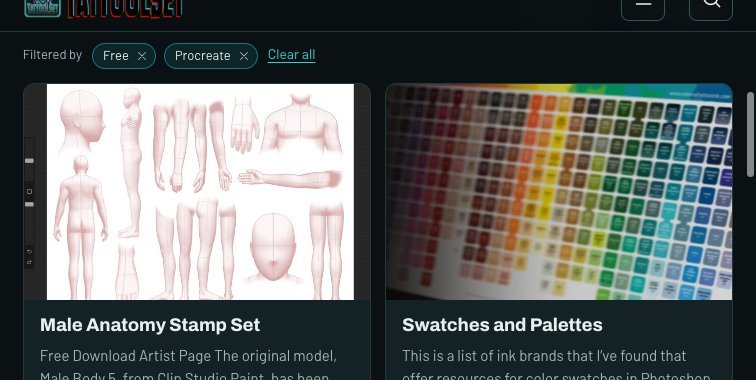
For example, filter by Free plus Procreate and you get results like the Male Anatomy Stamp Set (anatomy reference brushes built from Clip Studio Paint models) and Swatches and Palettes (ink brand color charts for Photoshop). Combine filters until it’s exactly what you need. You can remove any single filter with its X, or hit Clear all to start over.
Browse by what you work in
The subject filters at the top let you jump straight to your area: Design & Create, Business & Studio, Technology & AI, or Education & Reference. Each one shows only resources tagged for that category, so you skip everything irrelevant to your workflow. The library page also has a search bar if you know what you’re looking for — type it in and go.

The homepage puts the search front and center because sometimes you know exactly what you want. The subject filters are there when you want to explore instead. Everything is organized so that no matter how you find it — by searching, filtering, or browsing — you end up at the same resource page with all the details: price, platform compatibility, and a link to get it.
Check out the Links page
Over on the Links section, you’ll find apps, websites, and AI tools worth knowing about — each with a quick note from me. The order shuffles every visit so you don’t always see the same things first. Filter by category (AI, Apps, Websites, Reference) to narrow it down.
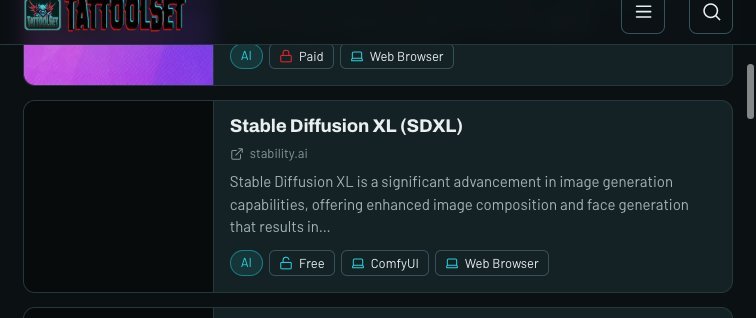
It’s not a replacement for anything in the library — these are outside tools and sites that don’t have their own post here but are worth bookmarking. Each link includes what it costs, what platforms it works on, and my take on whether it’s actually useful for tattoo artists.
What’s next
I’ll keep adding to both the library and the Links page as I find things that matter to working tattoo artists. The focus stays on practical tools — nothing hype-driven, nothing that just looks cool but doesn’t save you time or improve your work.
The journal will stay active too — updates on what’s new, why I built something, and the occasional thought about tools and workflow. If you spot something missing or have a suggestion, drop me a note through the contact page.